Website Speed Optimization: A Complete Guide to Faster Websites
Website speed plays an important role in how visitors experience your business online. When a website takes too long to load, visitors may become frustrated, leave before exploring your services, or abandon an enquiry or purchase.
For businesses, a slow website can create unnecessary barriers between potential customers and the information they need. A fast website, on the other hand, helps visitors access content, navigate pages, and interact with important features more smoothly.
Website speed optimization is the process of improving how quickly and efficiently a website loads, displays content, and responds to user interactions. It involves optimizing images, reducing unnecessary code, improving server response times, configuring caching, and addressing other performance bottlenecks.
In this guide, we will explore why website speed matters, how to measure performance, which optimization techniques are worth prioritizing, and how businesses can maintain a faster website over time.
What Is Website Speed Optimization?
Website speed optimization involves identifying and fixing the technical issues that make a website slow or difficult to use.
A website does not necessarily become fast just because its homepage appears quickly on a developer's computer. Performance can vary depending on the visitor's device, internet connection, geographic location, browser, server response, and the resources required by the page.
Effective optimization considers the entire experience, from the moment a visitor requests a page to the point when the content is visible and interactive.
Common website speed optimization techniques include:
-
Compressing and resizing images.
-
Reducing unnecessary CSS and JavaScript.
-
Enabling browser and server-side caching.
-
Improving database queries and backend processing.
-
Reducing unnecessary third-party scripts.
-
Using appropriate hosting resources.
-
Loading below-the-fold images when needed.
-
Improving font loading and page rendering.
The right improvements depend on the website's technology, structure, and measured performance problems. There is no single optimization technique that fixes every slow website.
Why Is Website Speed Important for Businesses?
1. Improve the User Experience
Visitors expect a website to respond promptly when they open a page, click a link, or submit a form.
If the main content takes too long to appear or buttons remain unresponsive, visitors may struggle to complete even simple tasks.
A well-optimized website helps people browse services, read blog articles, view products, and contact your business with less waiting.
For example, someone searching for a software development company may want to review its services and portfolio quickly. If these pages load slowly, that visitor may choose another provider before discovering what your business offers.
2. Support Search Engine Optimization
Website performance is one part of a broader technical SEO strategy.
Google uses Core Web Vitals as part of its page experience considerations. These metrics measure loading performance, responsiveness, and visual stability. However, good scores alone do not guarantee high search rankings.
A website also needs useful content, appropriate page structure, crawlable links, relevant information, and sound technical implementation.
Speed optimization should therefore support your SEO strategy rather than replace it.
3. Help Visitors Complete Important Actions
A business website often aims to generate enquiries, encourage bookings, sell products, or persuade visitors to request a quotation.
When pages and interactive features respond smoothly, visitors can move through these steps with less friction.
Useful areas to optimize include:
-
Contact and enquiry forms.
-
Product listings and detail pages.
-
Search and filtering features.
-
Navigation menus.
-
Booking and registration processes.
-
Checkout pages.
-
Portfolio and service pages.
Performance improvements cannot guarantee more leads or sales, but they can remove technical obstacles that interfere with the customer journey.
4. Improve the Mobile Browsing Experience
Mobile visitors may be using slower connections or devices with limited processing power. Large images, heavy scripts, and excessive page resources can make the experience particularly frustrating.
Responsive layouts should be paired with appropriately sized assets, efficient code, and sensible loading behavior.
For example, a phone does not always need to download the same oversized image used in a large desktop banner. Responsive image techniques can help browsers select a suitable image for the available display size.
5. Make Your Website Feel More Reliable
When pages render consistently and controls respond as expected, visitors can interact with your website more confidently.
Performance optimization can also reduce problems such as content shifting during loading, delayed form responses, and pages that become difficult to use while scripts are running.
A fast, stable website supports a more professional impression of your business.
Understanding Core Web Vitals
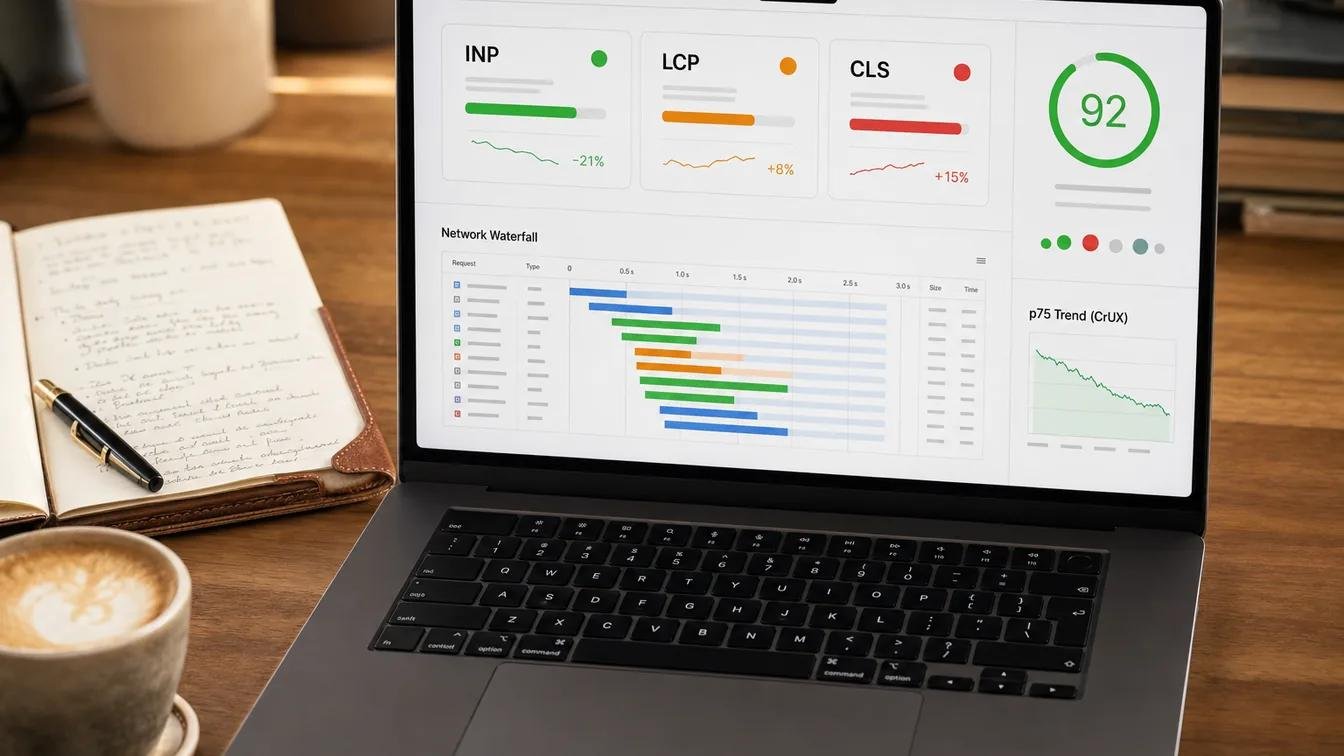
Core Web Vitals are Google's user-focused metrics for assessing important aspects of page experience. Three metrics are particularly useful when evaluating website performance.
1. Largest Contentful Paint (LCP)
LCP measures how long it takes for the largest visible content element in the viewport to render. This might be a prominent heading, a large image, or another significant content element.
It helps indicate how quickly visitors can see the main content of a page.
Google's recommended LCP thresholds are:
-
Good: 2.5 seconds or less.
-
Needs improvement: More than 2.5 seconds and up to 4 seconds.
-
Poor: More than 4 seconds.
Common causes of poor LCP include slow server responses, large hero images, render-blocking resources, and delayed loading of important content.
To improve LCP, identify the main content element, optimize its image or resource if applicable, reduce server delays, and ensure critical resources can load promptly.
2. Interaction to Next Paint (INP)
INP measures how quickly a page responds visually to user interactions throughout a visit, such as clicking a button, opening a menu, or using a control.
The recommended thresholds are:
-
Good: 200 milliseconds or less.
-
Needs improvement: More than 200 milliseconds and up to 500 milliseconds.
-
Poor: More than 500 milliseconds.
Heavy JavaScript, long-running tasks, excessive event processing, and complicated interface updates can contribute to poor INP.
Potential improvements include reducing unnecessary JavaScript, breaking up long tasks, simplifying event handlers, and avoiding expensive rendering work during user interactions.
3. Cumulative Layout Shift (CLS)
CLS measures unexpected visual movement of page content. For example, a visitor may begin reading a heading, only for an image or advertisement to load and push the heading down the screen.
The recommended thresholds are:
-
Good: 0.1 or less.
-
Needs improvement: More than 0.1 and up to 0.25.
-
Poor: More than 0.25.
Common causes include images without reserved dimensions, dynamically inserted content, and fonts that change the layout as they load.
To improve CLS, specify image dimensions, reserve space for advertisements or embedded content when appropriate, and review font-loading behavior.
These thresholds should be evaluated using suitable real-user field data where available. A single laboratory test is useful for diagnosis, but it does not represent every visitor's experience.
How to Check Your Website Speed
Before making changes, measure your website's current performance. This helps you identify the pages and issues that deserve attention first.
1. Google PageSpeed Insights
Google PageSpeed Insights analyzes a URL and provides performance information, diagnostics, and recommendations.
It can show laboratory results from Lighthouse and, when sufficient real-user data is available, field data from the Chrome User Experience Report.
Use it to investigate:
-
Core Web Vitals.
-
Image optimization opportunities.
-
Render-blocking resources.
-
JavaScript execution.
-
Caching recommendations.
-
Main-thread activity.
-
Resource loading behavior.
Test your homepage, important service pages, blog listing, and individual blog articles rather than checking only one URL.
You can access the tool here:
2. Chrome DevTools and Lighthouse
Chrome DevTools helps developers inspect network requests, JavaScript execution, rendering behavior, and layout issues.
Lighthouse provides a laboratory audit that can highlight potential performance problems.
These tools are especially useful when you need to identify which files are slowing a page down or understand why a recommendation appears in a performance report.
3. Google Search Console
Google Search Console includes a Core Web Vitals report that can help you understand how eligible groups of URLs perform based on available field data.
Use it alongside individual page tests. A laboratory test examines a specific test run, while field data reflects actual users under different conditions.
If Search Console has insufficient data for a page, that does not automatically mean the page is slow or fast. Use the available diagnostics and test representative URLs.
10 Practical Ways to Optimize Website Speed
1. Optimize Images
Images are often among the largest resources a website downloads. Large, uncompressed images can delay the display of important content, particularly on mobile devices.
To improve image performance:
-
Resize images to match their actual display dimensions.
-
Compress files while preserving acceptable visual quality.
-
Use modern formats such as WebP or AVIF when suitable.
-
Serve different image sizes where appropriate.
-
Include image dimensions to reserve layout space.
-
Lazy-load images that appear below the initial viewport.
For example, if a blog thumbnail is displayed at a width of 400 pixels, serving a very large image intended for a high-resolution desktop banner may waste bandwidth.
Responsive image attributes such as srcset and sizes allow the browser to choose a suitable image resource based on the layout and device.
For images below the visible area, native lazy loading can reduce unnecessary initial downloads.
However, do not automatically lazy-load every image. A prominent hero image or the main image responsible for LCP should generally be available to the browser early. Delaying that image can make the page appear slower.
2. Reduce Unnecessary CSS
CSS controls the appearance and layout of your website. Large stylesheets, unused rules, and excessive dependencies can increase the amount of work required before a page renders.
Useful improvements include:
-
Removing CSS rules that are no longer used.
-
Minifying CSS files.
-
Avoiding unnecessary duplicate styles.
-
Loading only the styles required by a page where practical.
-
Reviewing large framework dependencies.
-
Reducing render-blocking styles where appropriate.
For example, if a website loads a large stylesheet for a feature that is not used on a particular page, consider whether that dependency can be reduced.
Be careful when changing shared CSS files. A modification that improves one page may unintentionally affect the header, navigation, forms, or layout of other pages.
3. Optimize JavaScript
JavaScript powers interactive features such as sliders, dropdown menus, animations, form validation, and dynamically loaded content.
Too much JavaScript can delay page rendering and make controls respond slowly.
Consider these practices:
-
Remove unused scripts and libraries.
-
Avoid loading the same library multiple times.
-
Minify production JavaScript.
-
Defer non-critical scripts when appropriate.
-
Use asynchronous loading for independent scripts where suitable.
-
Reduce unnecessary animations and expensive DOM updates.
-
Review third-party scripts and widgets.
The defer attribute can help postpone execution of a classic external script until HTML parsing has finished:
<script src="/assets/js/main.js" defer></script>
Use this only when the script is compatible with deferred execution. Scripts that depend on inline code, document parsing order, or other libraries may need a different arrangement.
Do not defer every script without testing. Incorrect loading order can break menus, sliders, analytics, and form functionality.
4. Enable Browser Caching
Browser caching allows a visitor's browser to reuse previously downloaded resources when they return to your website.
For example, a logo, stylesheet, or JavaScript file does not always need to be downloaded again on every visit.
For versioned static assets, a long cache lifetime can be appropriate. When the file changes, use a new filename or versioned URL so browsers can obtain the updated resource.
Caching policies should distinguish between static assets and dynamic or sensitive content.
For example, publicly accessible CSS and image files may be cached differently from personalized account pages or private responses.
On a PHP website hosted through Hostinger, caching may be configured through the hosting platform, server settings, or suitable HTTP response headers. Confirm which caching options are supported by your hosting plan before making changes.
5. Improve Server Response Time
A browser cannot render a page until it receives and processes the resources required for that page. If the server takes too long to respond, the rest of the loading process may be delayed.
Potential causes include:
-
Slow or overloaded hosting resources.
-
Inefficient PHP processing.
-
Expensive database queries.
-
Excessive API requests.
-
Repeated calculations or lookups.
-
Poorly configured caching.
-
Large dynamic responses.
For a PHP and MySQL website, review slow database queries, check indexes on frequently searched columns, avoid unnecessary repeated queries, and investigate backend functions that take excessive time.
If the site frequently generates the same content, server-side caching may help where the content can safely be reused.
Upgrading hosting is not always the first solution. Measure server response time and inspect application behavior before deciding whether a hosting change is necessary.
6. Use a Content Delivery Network When Appropriate
A Content Delivery Network (CDN) distributes supported resources across servers in multiple locations.
When configured correctly, a CDN can serve cached assets closer to visitors and reduce the distance those assets need to travel.
A CDN may be useful for websites serving visitors across different regions or delivering many static assets.
However, a CDN is not a universal fix. It will not automatically resolve inefficient PHP code, slow database queries, or poorly optimized JavaScript. Configuration and caching rules also need to be appropriate for the website.
Before adopting a CDN, review your hosting provider's existing services, expected traffic, costs, and requirements.
7. Reduce Render-Blocking Resources
Some resources can delay the browser from displaying page content. Stylesheets and certain scripts may prevent the page from rendering until the browser has processed them.
To investigate this issue:
-
Identify which resources block the initial render.
-
Remove unnecessary dependencies.
-
Reduce the size of critical CSS where practical.
-
Defer non-critical JavaScript.
-
Load only the resources required for the current page.
-
Avoid adding preload hints for resources that are not genuinely critical.
Do not automatically move every stylesheet to the bottom of the page or inline all CSS. Such changes can create visual flashes, delay styling, increase HTML size, or make maintenance more difficult.
The objective is to make the resources required for the initial view available efficiently while keeping the rest of the page maintainable.
8. Optimize Web Fonts
Custom fonts can improve branding, but loading too many font files or font weights can delay text rendering.
Consider these improvements:
-
Load only the font families and weights you actually use.
-
Prefer efficient font formats such as WOFF2 where suitable.
-
Use appropriate font-display behavior.
-
Avoid loading duplicate font files.
-
Preload a critical font only when it is genuinely needed early.
-
Ensure fallback fonts remain readable.
If a website uses multiple font families across its header, body, buttons, and headings, review whether all of them are necessary.
Font optimization should preserve readability and branding rather than forcing every page to use a generic font.
9. Reduce Unnecessary Third-Party Scripts
Analytics, chat widgets, social media embeds, advertising scripts, maps, and other external services can introduce additional network requests and JavaScript execution.
Review each third-party integration and ask whether it provides meaningful value.
Possible actions include:
-
Removing scripts that are no longer used.
-
Loading non-essential widgets only when needed.
-
Using lightweight alternatives where suitable.
-
Avoiding duplicate analytics tags.
-
Delaying below-the-fold embeds until appropriate.
-
Monitoring how external services affect page responsiveness.
Do not remove essential analytics or business functionality without considering the consequences. The aim is to keep useful integrations while reducing unnecessary performance costs.
10. Keep Your Website's Code and Dependencies Maintainable
Over time, websites can accumulate old plugins, duplicate libraries, unused scripts, and outdated code.
Regular maintenance helps identify these issues before they become more difficult to manage.
For a custom PHP website, review shared header and footer files, repeated database calls, loaded CSS and JavaScript libraries, image assets, and page-specific dependencies.
For a CMS-based website, review plugins, themes, integrations, and scripts that are loaded globally.
Always back up the website before making significant production changes, and test critical functionality after each set of modifications.
Website Speed Optimization for PHP Websites
A website built with PHP and MySQL may need a different optimization strategy from a static website or a CMS installation.
The browser-facing techniques still matter, but server-side processing can also be a major part of the problem.
If your website uses PHP, consider the following areas.
Database queries: Retrieve only the records and fields a page needs. Review indexes, repeated queries, and expensive filtering operations.
Shared PHP includes: Common header and footer files should avoid unnecessary database calls or loading scripts that every page does not require.
Caching: Where appropriate, cache reusable data or rendered output, while ensuring dynamic and user-specific content remains correct.
Asset delivery: Configure caching and compression for CSS, JavaScript, images, and fonts through the supported server or hosting settings.
AJAX requests: Review whether pages make repeated requests that could be reduced or combined. Make sure dynamic loading does not create unnecessary delays or duplicate work.
PHP and database configuration: Keep supported software versions updated and review resource usage when the hosting environment allows it.
If the website is slow only on certain pages, compare the pages' server response, database workload, and downloaded resources before applying broad changes.
Common Website Speed Optimization Mistakes
Lazy-loading every image
Lazy loading is useful for images below the initial viewport, but delaying a prominent hero image can worsen the time it takes for the main content to appear.
Installing too many optimization plugins or tools
Multiple tools may duplicate functionality or introduce conflicts. Review what each tool does before adding another dependency.
Minifying files without testing
Minification can reduce file sizes, but poorly configured optimization may break JavaScript dependencies or CSS behavior. Test all important features after making changes.
Focusing only on a desktop score
A website may perform well on a powerful desktop computer but struggle on a mobile device. Test both mobile and desktop and consider the experience of visitors using different connections.
Making every resource load immediately
Loading every image, script, and embed at once can compete with the resources needed for the initial view. Prioritize critical content and defer non-essential resources when appropriate.
Chasing a perfect score instead of solving real problems
A score of 100 is not a guarantee of a flawless user experience. Focus on meaningful improvements, real-user performance where available, and the functionality visitors need.
A Practical Website Speed Optimization Checklist
Use this checklist when reviewing an existing business website.
-
Run PageSpeed Insights on the homepage and important inner pages.
-
Record the current Core Web Vitals and main diagnostics.
-
Resize and compress oversized images.
-
Check that important above-the-fold images are not unnecessarily lazy-loaded.
-
Remove unused CSS and JavaScript where safe.
-
Review render-blocking resources.
-
Enable suitable caching for static assets.
-
Investigate slow server responses and expensive database queries.
-
Review fonts and third-party integrations.
-
Test navigation, forms, sliders, and other interactive elements.
-
Compare mobile and desktop performance.
-
Retest after changes and monitor performance over time.
Prioritize issues based on their impact and the effort required to fix them. Addressing one large image or a serious server bottleneck may provide more value than making numerous small changes.
How Often Should You Test Website Performance?
Website performance should be reviewed regularly, not only before launch.
Consider testing after:
-
Redesigning a page or website template.
-
Adding a new plugin or JavaScript library.
-
Uploading large images or videos.
-
Changing hosting or server settings.
-
Adding third-party integrations.
-
Updating the website's shared header or layout.
-
Publishing major new features.
For business-critical websites, schedule periodic performance reviews and monitor important user journeys. Keep a record of test results so you can compare performance before and after significant changes.
Remember that laboratory results can vary between test runs. Look for consistent patterns and use real-user data where available rather than making decisions based on a single score.
Conclusion
Website speed optimization is an ongoing process of measuring performance, identifying bottlenecks, and making improvements that help visitors access content and interact with your website more efficiently.
Image optimization, efficient CSS and JavaScript, suitable caching, reliable hosting, and faster backend processing can all contribute to better performance. Core Web Vitals provide useful measurements of loading, responsiveness, and visual stability, while tools such as PageSpeed Insights and Chrome DevTools help identify opportunities for improvement.
The most effective strategy is to focus on the issues that have the greatest impact on real users, make changes carefully, and test the results.
Want to improve your website's performance?
India Technology Solutions provides website design and development services focused on building professional, maintainable websites. If your current website loads slowly or needs technical improvements, explore our Website Design and Development Services to discuss your requirements.
Frequently Asked Questions (FAQs)
1. What is website speed optimization?
Website speed optimization is the process of improving a website's loading performance, responsiveness, and efficiency by addressing issues such as large images, unnecessary code, slow server responses, and poor caching.
2. How can I check my website speed for free?
You can use Google PageSpeed Insights at https://pagespeed.web.dev/. Enter your page URL to review available performance data, Core Web Vitals, Lighthouse results, and suggested improvements.
3. What are Core Web Vitals?
Core Web Vitals are Google's user-focused metrics for loading performance, interaction responsiveness, and visual stability. The main metrics are Largest Contentful Paint (LCP), Interaction to Next Paint (INP), and Cumulative Layout Shift (CLS).
4. Does website speed affect SEO?
Performance is one consideration in Google's page experience systems, but good performance scores do not guarantee higher rankings. Useful content, relevance, crawlability, technical quality, and other factors also matter.
5. How can I make my website load faster on mobile devices?
Start by resizing and compressing images, serving appropriately sized resources, reducing unnecessary scripts, enabling suitable caching, and improving server response times. Test the mobile version after each significant change.
6. Does image optimization improve website speed?
It can. Smaller, appropriately sized image files reduce the amount of data browsers need to download. This can help important content appear sooner, especially when an image is the page's main visible element.
7. Can hosting affect website performance?
Yes. Server resources, configuration, location, network conditions, and application workload can affect response times. However, slow performance can also result from large assets or inefficient frontend code, so measure the bottleneck before upgrading hosting.
8. How often should I optimize my website?
Review performance periodically and after significant changes to design, code, plugins, hosting, or integrations. Business-critical websites may benefit from scheduled monitoring and regular testing of their most important pages.
9. Is a perfect PageSpeed Insights score necessary?
No. A perfect laboratory score is not required for a good user experience. Focus on the most important issues, Core Web Vitals, real-user experience, and ensuring that the website works reliably.
10. Can an existing website be optimized without rebuilding it?
Often, yes. Many websites can benefit from image compression, caching, code improvements, and backend optimization without a complete redesign. A rebuild may be appropriate when the underlying architecture makes important improvements difficult or expensive.