Android App Development for Businesses: A Complete Guide
Smartphones have become an important part of how people communicate, shop, manage services, and interact with businesses. For companies looking to improve customer experiences or modernize their operations, a custom Android application can provide a practical way to deliver digital services directly to users.
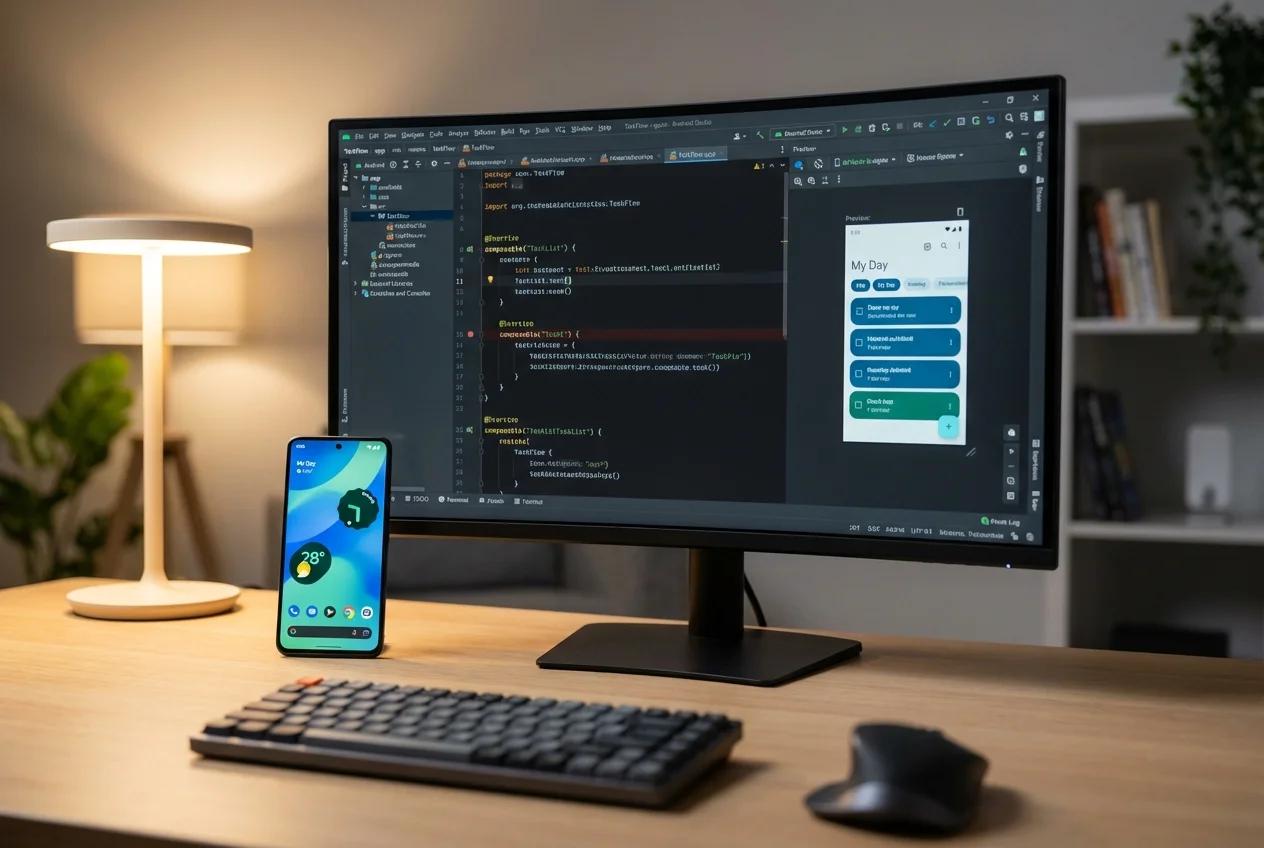
Android app development is not limited to large companies or technology startups. Retail businesses, educational institutions, healthcare service providers, logistics companies, and service-based businesses can all explore mobile applications when they solve a genuine customer or operational problem.
However, building an effective application involves more than designing screens and writing code. Businesses need to define their objectives, understand their target audience, prioritize features, choose appropriate technology, and plan for security and ongoing maintenance.
In this guide, we explain what Android app development involves, its potential benefits, essential features, the development process, technology choices, and what to consider before starting your project.
What Is Android App Development?
Android app development is the process of designing, building, testing, deploying, and maintaining applications that run on devices using the Android operating system.
These applications may be created for customers, employees, business partners, or internal operational teams. Depending on the requirements, an application may connect to a backend server, database, payment service, mapping platform, or other third-party systems.
Examples include:
-
E-commerce and shopping applications
-
Food ordering and delivery apps
-
Education and online learning platforms
-
Appointment booking applications
-
Inventory and business management tools
-
Logistics and tracking applications
-
Customer relationship management apps
-
On-demand service platforms
The right type of application depends on the problem your business wants to solve. A mobile app should serve a clear purpose rather than simply duplicate the information already available on your website.
Why Should Businesses Invest in Android App Development?
A custom Android application may help a business improve its digital services when the functionality aligns with its customers' needs.
1. Improve customer convenience
An app can give customers a dedicated way to access services, view information, place orders, manage bookings, or track requests.
For example, a service business might allow customers to book appointments, receive updates, and review previous requests without repeatedly contacting customer support.
Convenience is most valuable when the app makes an existing task simpler or provides a useful capability that is difficult to deliver through other channels.
2. Create a more direct customer experience
A mobile application can provide a consistent interface for users who frequently interact with your business.
Features such as saved preferences, order history, account management, and personalized notifications may make repeated interactions easier when implemented appropriately.
Businesses should still respect user preferences and avoid sending unnecessary notifications.
3. Streamline business operations
Not every business app needs to target external customers. Some applications can help employees complete routine tasks more efficiently.
For example, a field-service company could use an app to assign jobs, update work status, collect service records, and share information with an administrative team.
A well-planned application can reduce duplicated data entry and make operational information easier to access. The actual benefit depends on how well the application fits the existing workflow.
4. Support new digital services
Businesses can use Android apps to introduce services that are difficult to provide through traditional processes.
A training provider might deliver lessons and assessments through an app. A retailer might introduce mobile ordering. A logistics business might provide shipment status updates to customers.
The important question is whether the application creates useful value for its intended audience.
5. Integrate with business systems
Depending on the requirements, an Android app can connect to existing websites, APIs, databases, payment providers, or management systems.
These integrations can help maintain consistent information across channels, but they require careful planning around access permissions, reliability, data synchronization, and security.
What Features Should a Business Android App Include?
The features you choose should reflect your business model and the main tasks users need to complete.
User registration and authentication
If the application requires accounts, users should be able to register and sign in through an appropriate, secure process.
Depending on the use case, this may include email or phone verification, password recovery, and suitable session management.
Not every app needs mandatory registration. Allowing visitors to explore certain features before creating an account may reduce unnecessary friction.
User-friendly dashboard
A dashboard can help users find the most important functions quickly.
For example, a booking app might show upcoming appointments, while an e-commerce app might display recent orders and relevant product categories.
Keep the interface focused on tasks users perform most often.
Search and navigation
Search, filters, categories, and clear navigation can help users locate the information or services they need.
These features become particularly important when an application contains many products, service providers, learning resources, or records.
Push notifications
Notifications can inform users about relevant events such as booking confirmations, order updates, or important account activity.
They should be timely, useful, and consistent with the user's preferences. Unnecessary notifications can reduce engagement and encourage users to disable them.
Payment integration
If your app needs to accept payments, you may integrate an appropriate payment provider.
Before implementation, determine which payment methods are required, what transaction flows apply, and which security and regulatory obligations are relevant to the business model.
Payment handling should be designed carefully rather than added as an afterthought.
Admin dashboard
Many business applications need an administrative interface for managing users, content, products, bookings, or transactions.
The admin panel may be a web application connected to the same backend services used by the mobile app.
Define the responsibilities of administrators and implement role-based access controls where needed.
Analytics and reporting
Analytics can help a business understand whether its app supports the intended goals.
Depending on the application, useful measurements may include completed bookings, successful transactions, feature usage, recurring activity, or failed steps in an important workflow.
Collect only the data necessary for legitimate purposes and handle it appropriately.
Remember: More features do not automatically make an app better. Start with the capabilities needed to deliver the core value, then prioritize enhancements based on user feedback and business requirements.
Android App Development Process: Step by Step
A structured development process helps businesses control scope, reduce uncertainty, and make informed decisions throughout the project.
Step 1: Define your business objectives
Begin by describing the problem you want to solve.
Ask questions such as:
-
Who will use the app?
-
What task should it make easier?
-
What problems do customers or employees experience today?
-
What should users be able to accomplish?
-
How will you evaluate whether the app is successful?
For example, a retailer may want to improve mobile ordering, while a service company may want to simplify appointment management.
Clear objectives make it easier to decide which features are essential.
Step 2: Research your users and competitors
Understand your intended users before finalizing the application requirements.
Review existing alternatives, speak with potential customers, and identify common frustrations or missing capabilities.
Competitor research can help you understand user expectations, but copying every feature from competing applications may result in unnecessary complexity.
Focus on what your target audience actually needs and how your application will address those needs.
Step 3: Prepare the feature list and requirements
Create a written list of the features required for the initial release.
Separate essential functions from optional enhancements. Document important user journeys, integrations, permissions, administrative requirements, and any special performance or security needs.
A clear requirements document gives your development team a stronger basis for estimating the project.
Step 4: Plan UI/UX design
User interface design determines how the application looks, while user experience design focuses on how easily people can accomplish their goals.
Before development, consider preparing wireframes or interactive prototypes for important screens.
Review navigation, form fields, button placement, accessibility, error messages, and the overall user journey.
Testing a prototype can reveal confusing interactions before they become expensive to change.
Step 5: Choose the technology stack
Android applications can be built using native technologies or suitable cross-platform frameworks.
Native development commonly uses Kotlin and Android development tools. Cross-platform technologies may be appropriate when a business plans to support multiple platforms with shared code.
The decision should consider the required device features, performance, integrations, available expertise, budget, and maintenance plan.
Your development team should explain the trade-offs instead of recommending a technology solely because it is popular.
Step 6: Develop the app and backend
Once the requirements and design are agreed, the team can implement the application.
Depending on the project, development may include:
-
Android application screens and navigation
-
Backend APIs and database structures
-
Account management and permissions
-
Admin dashboard functionality
-
Payment or third-party integrations
-
Notifications and analytics
-
Error handling and logging
Not every application needs a separate custom backend. The architecture should match the features, scale, data requirements, and operational needs of the product.
Step 7: Test the application
Testing helps identify defects before the application reaches users.
Important areas include:
-
Core features and user journeys
-
Compatibility across supported devices
-
Different screen sizes and Android versions
-
Network interruptions and error conditions
-
Authentication and authorization
-
Data handling and security
-
API integrations and payment flows
-
Performance and battery usage where relevant
The amount of testing required depends on the application's complexity and the consequences of failure.
Step 8: Prepare for release
Before release, review the app's branding, privacy information, permissions, screenshots, store listing, and other applicable publishing requirements.
Google Play has specific policies and technical requirements that can change over time. Review the current requirements before preparing the production release.
Businesses should also plan how they will handle customer questions, app updates, and any problems reported after launch.
Step 9: Monitor, maintain, and improve
Launching the app is the beginning of its operational life.
Monitor crashes, errors, performance, user feedback, and the metrics connected to your business objectives.
Plan for security updates, compatibility changes, dependency updates, bug fixes, and improvements based on actual usage.
An application that receives ongoing attention is easier to keep reliable and relevant as business requirements evolve.
Native Android Development vs Cross-Platform Development
One important decision is whether to build an application specifically for Android or use a framework that can share code across Android and other platforms.
Native Android development
Native development uses technologies intended for the Android platform, such as Kotlin and Android's development tools.
It can be a strong choice when the app requires detailed integration with Android capabilities, specialized device features, or platform-specific user experiences.
The trade-off is that a separate iOS implementation may be required if the business later decides to launch on Apple devices.
Cross-platform development
Cross-platform frameworks can share a portion of the codebase across Android and iOS.
This can be useful when a business wants to support multiple platforms while managing development effort. However, some features may still require platform-specific implementation, testing, or maintenance.
Which approach should your business choose?
Consider your target audience, required device features, planned platforms, budget, delivery expectations, and long-term maintenance needs.
For an Android-only product with platform-specific requirements, native development may be appropriate. If reaching Android and iOS users with shared code is a priority, a cross-platform solution may be worth evaluating.
The best choice depends on the product, not on a universal rule that one approach is always superior.
How Much Does Android App Development Cost?
The cost of Android app development depends on the scope of the application and the work required to deliver it.
A simple app with a limited number of screens may involve much less effort than a marketplace with user roles, payment processing, real-time updates, a complex backend, and an administrative dashboard.
Factors that influence the estimate include:
-
Number and complexity of features
-
UI/UX design requirements
-
Backend and database development
-
Third-party integrations
-
Authentication and security needs
-
Testing and supported device requirements
-
Deployment and release preparation
-
Maintenance and post-launch support
How to plan your development budget
Before requesting a proposal:
-
Describe the problem your app will solve.
-
Identify the target audience and supported platforms.
-
List the essential first-release features.
-
Identify required integrations and admin functions.
-
Set a realistic budget range and desired timeline.
-
Ask for an itemized estimate with clear deliverables.
-
Clarify source-code ownership, hosting, and maintenance.
-
Keep a contingency for changes and unexpected requirements.
Ask developers to identify what is included and excluded from their estimate. Comparing proposals with different scopes can lead to misleading conclusions.
A smaller initial release may be a sensible approach if your main goal is to validate an idea before investing in a broader application.
Common Android App Development Mistakes to Avoid
Building too many features at the beginning
A large initial feature list can increase development time, cost, and complexity.
Better approach: Start with the essential user journeys and expand the application as requirements become clearer.
Ignoring the target audience
An application may function correctly but still be difficult to use if its design does not match user expectations.
Better approach: Research the audience, test prototypes, and collect feedback from representative users.
Treating security as a final step
Weak authentication, excessive permissions, insecure data handling, and insufficient access controls can expose users and businesses to risk.
Better approach: Consider security during requirements, architecture, implementation, testing, and maintenance.
Testing on too few devices
Differences in screen sizes, Android versions, hardware, and network conditions can expose issues that were not visible during development.
Better approach: Define supported devices and Android versions, then test against a suitable range for your audience.
Forgetting about maintenance
An app can require updates even when its core features remain unchanged.
Better approach: Budget for monitoring, bug fixes, compatibility updates, security work, and customer support.
Launching without a measurement plan
Without meaningful metrics, it may be difficult to determine whether the application is delivering business value.
Better approach: Decide which user actions and business outcomes matter before launch, and implement appropriate measurement.
How to Choose an Android App Development Company
Selecting the right development partner can influence the quality, maintainability, and long-term success of your application.
When evaluating providers, consider the following.
Technical expertise: Can the team explain its technology recommendations and demonstrate relevant experience?
Requirements and planning: Will it help you define the initial scope and identify technical dependencies?
Transparent pricing: Are estimates, milestones, deliverables, and exclusions clearly documented?
Design and usability: Does the process include interface design and review of important user journeys?
Quality assurance: Is testing included throughout development?
Security practices: Does the team consider authentication, permissions, data protection, and secure integrations?
Ownership and documentation: Are source code, repositories, design assets, and handover responsibilities clearly defined in the agreement?
Post-launch support: Is there a plan for maintenance, bug fixes, and future enhancements?
A reliable partner should be willing to discuss trade-offs, risks, and practical alternatives instead of promising results that cannot be guaranteed.
Build Your Android App with India Technology Solutions
A well-planned Android application can help your business provide useful digital services, improve specific workflows, and create a more convenient experience for customers.
The first step is to understand the problem, define the essential features, and select an approach that fits your requirements and resources.
At India Technology Solutions, we help businesses explore and plan software and mobile app development solutions around their objectives. Whether you are launching a new app idea or modernizing an existing process, a clear development roadmap can help you make informed decisions about design, technology, implementation, and ongoing support.
Explore our Android app development services to learn more about how we can discuss your project requirements.
Have an Android app idea? Contact India Technology Solutions to discuss your goals, essential features, and a practical path toward development.
Frequently Asked Questions
1. What is Android app development?
Android app development is the process of designing, building, testing, publishing, and maintaining applications for devices that run the Android operating system. It can include the mobile interface, backend services, database, integrations, and administrative tools.
2. How long does it take to develop an Android app?
The timeline depends on the number and complexity of features, design, backend requirements, integrations, testing, and release preparation. A narrowly scoped application may take weeks, while a more complex business application can take several months or longer. A dependable estimate requires defined requirements.
3. How much does it cost to develop an Android app in India?
There is no universal price. Costs depend on the application's complexity, development effort, integrations, design, security requirements, and support arrangements. Request a written estimate based on your feature list and compare the deliverables included in each proposal.
4. Should my business build a native Android app or a cross-platform app?
Native Android development may suit applications that need platform-specific capabilities or an Android-focused experience. Cross-platform development may be appropriate if you plan to support Android and iOS with shared code. Evaluate requirements, cost, performance, integrations, and maintenance before deciding.
5. Does every Android app need a backend?
No. Some applications can work primarily on the device. However, applications that need accounts, shared data, bookings, payments, synchronization, or centralized management often require backend services. The architecture should reflect the application's functionality and security needs.
6. Can an Android app integrate with an existing website?
Yes, when the website or its backend provides suitable APIs or can be extended to support them. Integration can help synchronize information such as user accounts, product listings, bookings, and orders. The technical approach depends on the existing system and data requirements.
7. What is required to publish an Android app on Google Play?
The app must meet the applicable Google Play developer, technical, policy, privacy, and review requirements. Preparation may include a store listing, app assets, required declarations, testing, and release configuration. Check Google's current publishing documentation because specific requirements can change.
8. Does an Android app need maintenance after launch?
Yes. Maintenance may include bug fixes, security updates, dependency updates, compatibility improvements, monitoring, and new features. The amount of ongoing work depends on the application's complexity and how frequently its requirements change.
9. Can a small business benefit from a custom Android app?
Yes, when an app solves a real customer or operational problem. Examples include appointment booking, order management, field-service coordination, learning platforms, and customer portals. A business should assess whether a dedicated app provides enough value compared with a mobile-friendly website or another solution.
10. What should I prepare before hiring an Android app development company?
Prepare a description of the business problem, target users, essential features, expected integrations, supported platforms, budget range, and preferred timeline. You do not need a complete technical specification to begin a discovery discussion, but clearer requirements generally lead to more useful estimates.