Custom Website Development vs. WordPress: Which Is Right for Your Business?
Choosing the right technology for your business website is an important decision. Your choice can affect development costs, website functionality, design flexibility, maintenance, performance, and how easily your website can grow with your business.
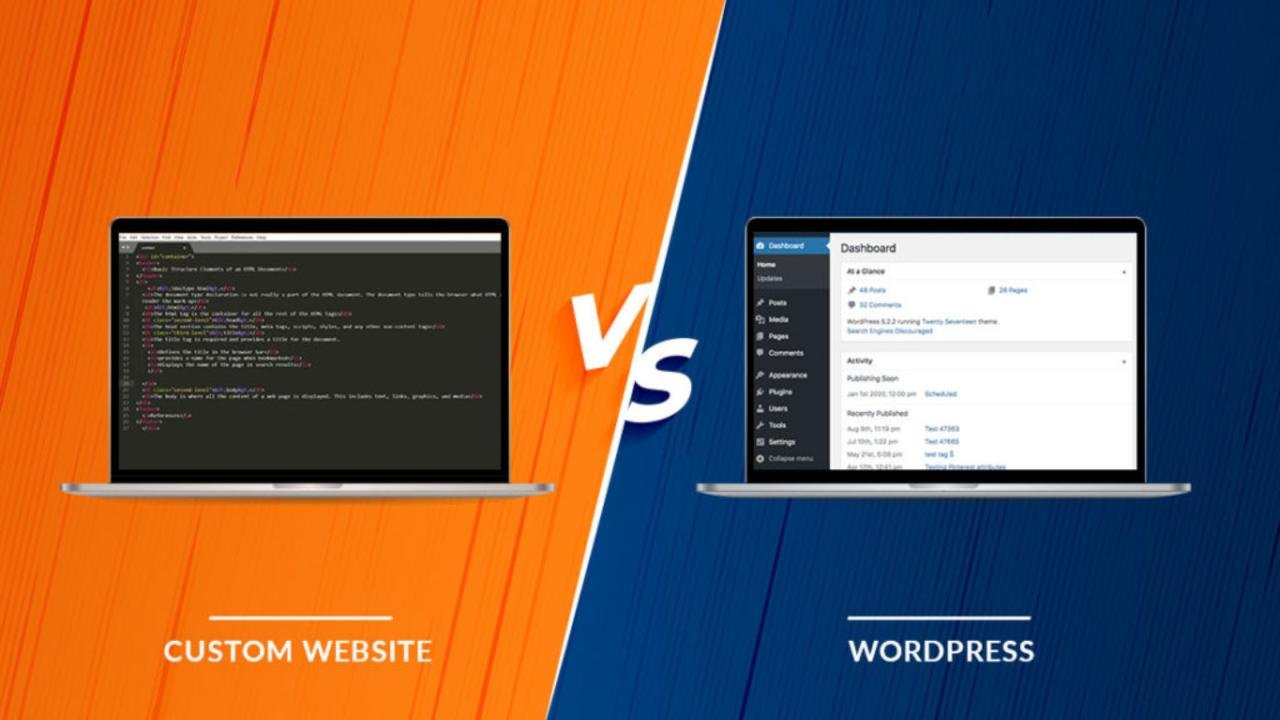
Two common options are custom website development and WordPress. Custom development allows developers to build a website around specific business requirements, while WordPress provides a flexible content management system that can be extended using themes, plugins, and custom code.
But which option is right for your business?
The answer depends on what you want your website to do, how frequently you plan to update it, your budget, and the features you may need in the future.
In this guide, we compare custom website development and WordPress to help you make an informed decision.
What Is Custom Website Development?
Custom website development involves designing and building a website according to a business's specific requirements. Developers can choose the appropriate technologies, database structure, user interface, and application architecture based on the project's goals.
A custom website may use technologies such as PHP, JavaScript, Python, or other programming languages and frameworks. The exact technology stack depends on the website's complexity and intended functionality.
For example, a business might need a website with a custom quotation system, a client dashboard, specialized reporting, or a workflow that connects several internal systems. Developers can build these features around the business's processes rather than adapting every requirement to a pre-existing theme or plugin.
Custom development can be suitable for:
-
Business websites with specialized functionality.
-
Web applications and customer portals.
-
Booking or appointment platforms with complex rules.
-
Websites requiring integrations with internal business systems.
-
Membership platforms with custom access permissions.
-
Projects with unusual workflows or data requirements.
However, custom development does not automatically mean better quality or performance. The result depends on the developer's expertise, architecture, security practices, testing, and ongoing maintenance.
What Is WordPress?
WordPress is an open-source content management system (CMS) that allows users to create and manage website content through an administrative dashboard.
Instead of building every website feature from scratch, developers can use themes for presentation and plugins to add functionality. WordPress also supports custom themes, plugins, and integrations when a project requires additional flexibility.
According to WordPress.org, the platform supports a wide range of websites, including blogs, business websites, portfolios, publications, and more complex projects. Its extensibility makes it useful for businesses with different levels of technical experience.
WordPress is often suitable for:
-
Company and small business websites.
-
Blogs and content-focused websites.
-
Professional portfolios.
-
Marketing websites and landing pages.
-
Many online stores.
-
Websites that need frequent content updates.
-
Projects that benefit from an established CMS ecosystem.
For example, a consulting company that regularly publishes articles, updates service pages, and shares company news may find WordPress convenient because staff can manage much of the content without changing the website's code.
WordPress can also be customized extensively. The important distinction is not that WordPress cannot support custom features, but that those features may be built on top of an existing platform rather than created entirely from a separate application architecture.
Custom Website Development vs. WordPress: Key Differences
The following table provides a high-level comparison.
| Factor | Custom website development | WordPress |
|---|---|---|
| Initial development | Depends on the complexity of the requirements | Often faster for standard websites |
| Cost | Can be higher for specialized functionality | Can be lower when suitable themes and plugins meet requirements |
| Design flexibility | Full control over the implementation | Flexible themes, builders, and custom development |
| Content management | A CMS or admin panel may need to be developed or integrated | Built-in content management dashboard |
| Special functionality | Can be designed around specific workflows | Available through plugins, integrations, or custom code |
| Performance | Can be optimized for the application's needs | Depends on hosting, theme, plugins, configuration, and content |
| Security | Depends on application architecture and maintenance | Depends on core updates, plugins, themes, hosting, and configuration |
| Maintenance | Requires developers or a maintainable technical setup | Content is often easier to manage, but technical maintenance remains necessary |
| Scalability | Can be designed for expected workloads and future requirements | Can support substantial growth, with architecture and hosting choices becoming increasingly important |
| Best suited for | Specialized applications and business-specific workflows | Blogs, business websites, and many content-driven projects |
Neither option is automatically superior in every category. The best choice depends on your actual requirements and how the website will be operated after launch.
1. Development Cost: Which Option Is More Affordable?
Cost is often one of the first considerations when planning a website.
WordPress can be an economical option when a suitable theme and a small number of well-supported plugins provide most of the functionality you need. Custom development may require more design, programming, testing, and project planning, particularly when building specialized features.
However, WordPress is not always cheaper, and custom development is not always more expensive. A complex WordPress website with extensive customization, paid plugins, and integrations can require significant investment. A relatively simple custom website may be affordable when its requirements are limited.
Costs to consider for WordPress
Your budget may include:
-
Domain registration and renewal.
-
Hosting and SSL configuration.
-
Theme or page-builder costs, if applicable.
-
Paid plugin licences.
-
Custom design and development.
-
Content creation and migration.
-
Security, backups, and updates.
-
Ongoing technical support.
Some themes and plugins are free, while others charge subscription or licence fees. These expenses depend on the features and services you select.
Costs to consider for custom development
A custom project may include:
-
Requirements analysis and technical planning.
-
UI/UX design.
-
Frontend development.
-
Backend development and database design.
-
Admin panel development.
-
Third-party API integrations.
-
Testing and security review.
-
Deployment and documentation.
-
Ongoing maintenance and feature updates.
If your project requires complex workflows, custom permissions, or specialized integrations, the development and testing effort may be substantial.
Practical advice: Compare written project estimates that include the same features, content, integrations, support, and maintenance period. Comparing only the initial quotation can give a misleading picture of the total cost.
2. Design Flexibility and Customization
Your website should reflect your brand and support your customers' needs.
Custom development provides considerable freedom over the layout, interactions, data structures, and behavior of a website. Developers can build a user experience around specific requirements without necessarily working within a pre-existing theme's structure.
This can be useful when a website has unusual navigation, specialized dashboards, complex forms, or business processes that need to work in a particular way.
WordPress also offers extensive design flexibility through themes, page builders, custom CSS, and custom development. Many businesses can achieve a professional and distinctive design without building every component from scratch.
The main question is whether the available WordPress tools can meet your requirements cleanly.
Choose WordPress when a suitable theme or custom theme can provide the desired experience without excessive workarounds. Consider custom development when the required interface or behavior is sufficiently specialized that adapting an existing platform becomes difficult to maintain.
3. Website Functionality and Integrations
Before choosing a platform, list the features your website must support.
A standard business website may need service pages, a contact form, a portfolio, a blog, and basic analytics. WordPress can often provide these features through its existing publishing system and suitable plugins.
A more specialized project might need:
-
A multi-step quotation engine.
-
Custom pricing rules.
-
A client dashboard.
-
Role-based access to sensitive information.
-
Advanced booking workflows.
-
Integration with internal business software.
-
Complex reporting and data processing.
These features may be implemented using WordPress, custom development, or a combination of both. The right choice depends on how well the platform fits the required workflow, security model, and expected complexity.
For example, if your business only needs a contact form, a well-maintained WordPress plugin may be sufficient. If you need a detailed application that processes complex transactions and manages several types of users, a custom application architecture may offer a clearer path.
Do not choose custom development simply because a feature sounds advanced. First establish the requirements, identify suitable existing solutions, and compare the long-term trade-offs.
4. Website Performance and Loading Speed
A fast website improves the experience of visitors and makes it easier for them to navigate pages and complete tasks.
Both custom websites and WordPress websites can be fast. Performance depends on how the site is implemented and operated.
WordPress performance considerations
A WordPress website may become slow when it uses a heavy theme, too many plugins, oversized images, excessive scripts, or unsuitable hosting.
Performance can often be improved by:
-
Selecting a lightweight, well-maintained theme.
-
Removing unnecessary plugins.
-
Optimizing images and fonts.
-
Configuring appropriate caching.
-
Reducing unnecessary JavaScript and CSS.
-
Improving hosting and database performance.
-
Monitoring Core Web Vitals.
Plugins are not inherently bad for performance. Their impact depends on the code they execute, the resources they load, and how they interact with the rest of the website.
Custom website performance considerations
A custom website allows developers to control the code, dependencies, database queries, and loading behavior more directly.
This can make it easier to optimize a specialized application, but only when performance is considered during development. Poorly written custom code, slow database queries, or unnecessary scripts can make a custom website slow too.
The key point: Do not assume that custom development is always faster than WordPress. Evaluate the actual implementation and measure performance using tools such as Google PageSpeed Insights.
5. Security and Website Maintenance
Security is essential regardless of the platform you choose.
Every website needs appropriate access controls, secure configuration, backups, updates, and monitoring. The exact responsibilities differ depending on whether you use WordPress, a custom application, or a managed service.
WordPress security
WordPress benefits from an established ecosystem, but website owners must maintain the platform and its components.
Good practices include:
-
Keeping WordPress core, themes, and plugins updated.
-
Using reputable, maintained plugins.
-
Removing unused themes and plugins.
-
Using strong authentication and appropriate user permissions.
-
Maintaining regular backups.
-
Using HTTPS and secure hosting.
-
Monitoring vulnerabilities and suspicious activity.
Plugins and themes introduce code from different developers, so compatibility and maintenance should be considered when selecting them.
Custom website security
Custom development gives developers more control over application logic and access permissions, but it also makes secure implementation and ongoing maintenance critical.
Important practices include:
-
Validating and sanitizing input appropriately.
-
Using prepared statements for database queries.
-
Applying correct authentication and authorization checks.
-
Protecting sessions and sensitive information.
-
Handling file uploads securely.
-
Preventing common web vulnerabilities.
-
Keeping server software and dependencies updated.
-
Testing changes before deploying them to production.
A custom website is not automatically more secure because it uses fewer plugins. Its security depends on how well the code is written, reviewed, deployed, and maintained.
6. Content Management and Ease of Use
How will you update the website after it launches?
This question is especially important for businesses that publish blog articles, change service descriptions, update portfolios, or add new pages frequently.
WordPress includes an administrative dashboard for managing pages, posts, media, and users. With suitable configuration, non-technical staff can manage routine content updates without editing PHP or HTML.
A custom website can provide an equally convenient editing experience, but a content management system or admin panel may need to be developed or integrated if one is not already included in the project.
When planning a custom website, clarify whether the developer will provide:
-
A content editing dashboard.
-
Blog and page management.
-
Image and media management.
-
User roles and permissions.
-
Documentation or training.
-
Ongoing support for content updates.
A custom-built website without a suitable editing interface may require developer involvement for routine changes. This is not inevitable, but it should be addressed during project planning.
7. Scalability and Future Growth
A website should meet your current requirements while leaving a sensible path for future changes.
WordPress can support a broad range of projects, from simple business websites to large publishing platforms and customized applications. Its capabilities depend on the selected architecture, hosting, plugins, integrations, and development practices.
Custom development can be designed around a particular business's growth plans, data model, and workflows. This may be advantageous when the project has specialized technical requirements or when existing platforms create substantial constraints.
However, custom systems also need thoughtful architecture. Adding more features to a poorly designed application can become expensive, just as a poorly configured WordPress site can become difficult to maintain.
Before choosing, ask:
-
Will the website need new features regularly?
-
Will the number of users or transactions increase significantly?
-
Will it store or process sensitive information?
-
Will it need to connect to other business systems?
-
Can the platform support these changes without major rework?
-
Who will maintain the website as it grows?
Choose the option that offers a practical, maintainable route to your likely future needs—not simply the one with the longest list of possible features.
8. SEO and Digital Marketing
Both custom websites and WordPress websites can support effective SEO.
Search engines evaluate factors such as content relevance, crawlability, page structure, links, and technical implementation. The underlying platform alone does not determine whether a website will rank well.
WordPress provides tools and plugins that can help manage page titles, meta descriptions, XML sitemaps, redirects, and other SEO-related tasks. The exact features available depend on your setup.
With custom development, developers can implement metadata management, canonical URLs, structured data, sitemap generation, redirects, and other technical SEO features according to the project's requirements.
The important point is that SEO functionality must be configured and maintained correctly in either case.
Whichever platform you choose, make sure the website supports:
-
Descriptive page titles and headings.
-
Useful, original content.
-
Mobile-friendly layouts.
-
Fast and stable page experiences.
-
Crawlable internal links.
-
Appropriate canonical URLs.
-
Correct redirects and sitemap configuration.
-
Useful analytics and search performance monitoring.
Neither WordPress nor custom development guarantees search rankings. Good technical foundations need to be combined with useful content and a sound digital marketing strategy.
9. Ownership and Long-Term Flexibility
Before signing a development agreement, clarify who owns the website's code, design assets, content, domain, and associated accounts.
With WordPress, the core software is open source, and the website can be customized. However, themes, plugins, page builders, and other third-party components may have their own licences and terms.
With custom development, ownership and reuse rights depend on the contract, the technologies used, and any third-party dependencies. A custom project should include clear terms about source code access, intellectual property, hosting access, documentation, and future maintenance.
Regardless of the platform, your business should know how to access its domain registrar, hosting account, website files, database, analytics, and other essential services.
Clarify these arrangements before the project begins so you can manage the website confidently in the future.
Which Option Is Best for Different Types of Businesses?
Here are some common scenarios to help you choose.
Small businesses and local service providers
WordPress is often a practical choice when the website needs service pages, business information, contact forms, a portfolio, and occasional content updates.
Custom development may be appropriate when the business needs specialized features that cannot be implemented efficiently using available tools.
Startups
The right option depends on what the startup is building.
A startup that needs a marketing website to explain its product and collect enquiries may benefit from WordPress or another established CMS.
A startup building a software product, specialized portal, or application with unique workflows may need custom development for the core product, even if its marketing website uses WordPress.
Bloggers and content publishers
WordPress is often a strong fit for websites that publish articles frequently and need categories, media management, editorial workflows, and user-friendly content tools.
A custom publishing platform may be justified when the publisher has specialized requirements that an existing CMS cannot satisfy efficiently.
E-commerce businesses
WordPress with WooCommerce can be suitable for many online stores, depending on the product catalogue, payment requirements, integrations, and operational complexity.
Custom e-commerce development may be appropriate when the business needs highly specialized pricing, fulfilment, inventory, or purchasing workflows.
Businesses building web applications
A custom application architecture may be a better fit when the core requirement involves complex user permissions, specialized processing, interactive dashboards, or workflows that do not map naturally to a conventional content management system.
WordPress can still be useful for the marketing website or certain content functions, while a separate application handles the specialized operations.
Can You Combine WordPress and Custom Development?
Yes. Choosing WordPress does not mean you must avoid custom code, and choosing custom development does not mean every part of your online presence must be built from scratch.
A business might use WordPress for its main marketing website and blog while using a separate custom application for client accounts or specialized workflows.
Another option is to customize WordPress with a purpose-built theme or plugin when the required functionality fits well within the platform.
A combined approach can be useful when different parts of the business have different needs. However, it should be planned carefully to avoid unnecessary complexity, duplicated data, security gaps, or difficult integrations.
A Simple Checklist for Choosing the Right Website Solution
Before selecting a platform, answer these questions:
-
What is the website's main purpose? Is it primarily a marketing website, a publishing platform, an online store, or a web application?
-
Who will update the content? Will non-technical staff need to publish articles and change page content?
-
What features are essential? List the required functionality rather than starting with a particular technology.
-
What is your budget? Include development, hosting, licences, maintenance, and future improvements.
-
How much customization is needed? Can an existing platform meet the requirements without complicated workarounds?
-
What are the security requirements? Consider user permissions, sensitive data, integrations, and compliance obligations.
-
How will the website grow? Estimate the likely changes in content, traffic, users, and functionality.
-
Who will maintain it? Decide whether your team, a developer, or an agency will manage technical updates and support.
Once you have these answers, ask developers to recommend a solution based on the requirements and explain the trade-offs.
Conclusion
Custom website development and WordPress can both be effective choices for businesses. The right option depends on the website's purpose, required features, available budget, content management needs, and long-term plans.
WordPress is often practical for business websites, blogs, and projects that benefit from an established content management system. Custom development can be valuable for specialized applications, complex workflows, and requirements that need more direct control over the architecture.
Neither option is automatically cheaper, faster, more secure, or better for SEO. Those outcomes depend on implementation, hosting, maintenance, and how well the solution fits the business.
The best decision is to choose a platform that meets your current needs, can be maintained reliably, and offers a sensible path for future growth.
Planning a website for your business?
India Technology Solutions provides website design and development services to help businesses build a professional online presence. Whether you need a business website or a solution tailored to specific requirements, explore our Website Design and Development Services to discuss your project.
Frequently Asked Questions (FAQs)
1. Is custom website development better than WordPress?
Not in every situation. Custom development may be better for specialized functionality and business-specific workflows. WordPress may be more practical for blogs, business websites, and projects that benefit from built-in content management and existing extensions.
2. Is WordPress cheaper than custom website development?
WordPress can cost less when a suitable theme and a small number of plugins meet the requirements. Complex customization, premium licences, integrations, and maintenance can increase the cost. Compare complete project estimates before deciding.
3. Can WordPress be used for a professional business website?
Yes. WordPress can support professional business websites, service pages, portfolios, blogs, and many other use cases. The quality depends on the design, implementation, hosting, content, and ongoing maintenance.
4. Is a custom website more secure than WordPress?
Not automatically. Security depends on secure coding, access controls, updates, hosting, dependencies, backups, and monitoring. Both custom websites and WordPress websites require ongoing security maintenance.
5. Which option is better for SEO?
Neither platform guarantees better rankings. Both can support SEO when pages are crawlable, content is useful, metadata is configured correctly, and technical performance is maintained.
6. Can I customize a WordPress website?
Yes. WordPress supports custom themes, plugins, CSS, integrations, and other development work. The extent of customization depends on the requirements and how the website is built.
7. Can I switch from WordPress to a custom website later?
Yes, but the process requires planning. Content, URLs, images, user data, and functionality may need to be migrated. URL mapping, redirects, testing, and backups are important to reduce disruption.
8. Do custom websites require a content management system?
Not always. A simple website may not need one, but businesses that frequently update pages or publish articles usually benefit from a CMS or admin panel. This can be built specifically for the website or integrated from an existing platform.
9. Which option is better for an online store?
WordPress with WooCommerce can support many online stores. Custom development may be appropriate when the store requires specialized pricing, inventory, purchasing, or fulfilment workflows. The best option depends on the business model and integrations.
10. What should I ask a website development company before hiring it?
Ask about the recommended platform, project scope, timeline, total cost, mobile responsiveness, performance, security, SEO setup, source code and asset ownership, backups, maintenance, and post-launch support.