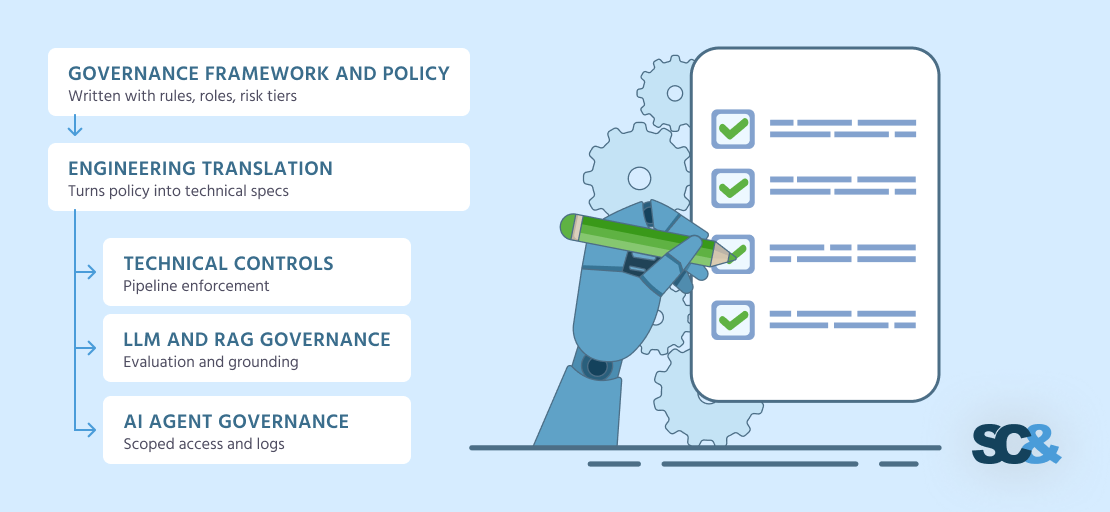
AI-Powered Software Development: Benefits and Risks
Artificial intelligence is changing the way software development teams design, build, test, and maintain applications. AI coding assistants, automated testing tools, intelligent code review systems, and generative AI platforms are helping developers complete many routine tasks more efficiently.
Businesses are exploring these capabilities to accelerate product development, reduce repetitive work, improve developer productivity, and respond more quickly to changing customer requirements.
However, AI-powered software development is not simply about generating code faster. Software must still be secure, reliable, maintainable, scalable, and aligned with business objectives. AI-generated code can contain defects, introduce security vulnerabilities, rely on outdated APIs, or fail to account for important requirements.
Organizations therefore need a balanced approach that combines AI capabilities with established software engineering practices and human expertise.
AI-powered software development works best when AI assists skilled developers rather than replacing engineering judgment, testing, and accountability.
This article explains how AI is being used throughout the software development lifecycle, its major benefits and risks, and the best practices businesses can follow to adopt it effectively.
What Is AI-Powered Software Development?
AI-powered software development is the use of artificial intelligence technologies to assist or automate activities involved in creating and maintaining software applications.
These technologies can analyze code, generate suggestions, explain unfamiliar functions, create test cases, summarize documentation, identify potential defects, and support development planning.
Depending on the application, AI capabilities may include large language models (LLMs), machine learning systems, code analysis tools, intelligent automation, and AI agents connected to development environments or external tools.
Common examples include:
-
AI coding assistants that suggest code while developers work.
-
Generative AI tools that create functions, components, and code examples.
-
Automated testing tools that help generate test cases.
-
AI-assisted code review and defect detection.
-
Tools that explain legacy code and assist with documentation.
-
AI systems that summarize logs and help investigate production issues.
-
Development agents that perform approved tasks across multiple engineering tools.
AI can be integrated into an existing development workflow without redesigning the entire technology stack. Teams may begin with a coding assistant and later expand to testing, documentation, code review, and controlled workflow automation.
The appropriate level of automation depends on the task's complexity, risk, and need for human supervision.
How AI Fits into the Software Development Lifecycle
Software development involves several connected stages. AI can provide assistance throughout this lifecycle, although its reliability and value vary by task.
1. Requirements Analysis and Planning
AI tools can summarize stakeholder interviews, organize feature requests, draft user stories, and identify missing information in product requirements.
For example, a team building an appointment-booking application might use AI to turn a list of business needs into draft user stories covering appointment creation, cancellation, notifications, and administrator access.
However, AI-generated requirements should be reviewed by product owners and stakeholders. Ambiguous instructions, regulatory obligations, and complex business rules still require human clarification.
2. Software Architecture and Design
AI can help developers compare architectural approaches, explain technology trade-offs, draft API specifications, and identify potential integration challenges.
A team planning a customer portal might use AI to compare a monolithic PHP application with a service-oriented architecture.
The final decision should consider expected traffic, team experience, hosting costs, security requirements, maintainability, and future growth rather than relying solely on AI recommendations.
3. Code Generation and Development
Code generation is one of the most visible applications of AI in software engineering.
Developers can use AI to draft functions, build user interface components, create database queries, explain unfamiliar code, and generate examples for common programming tasks.
For example, a developer building a PHP application could ask an AI assistant to draft a MySQLi prepared-statement function, then review the SQL parameters, validation, error handling, and access controls before using it.
AI-generated code should be treated as a proposed implementation, not automatically trusted production code.
4. Software Testing and Quality Assurance
AI can help create unit tests, suggest edge cases, generate test data, and summarize test failures.
It may also help teams identify gaps in test coverage or investigate recurring defects.
Nevertheless, generated tests are only useful if they validate the intended behavior. A test that repeats the same mistaken assumptions as the implementation may pass even when the software is incorrect.
Teams should use clear acceptance criteria, independent test cases, regression tests, and human review to validate the results.
5. Code Review and Security
AI-assisted code review can help developers identify suspicious patterns, duplicated logic, missing error handling, and potential security issues.
It can also explain why a code change may introduce a defect.
However, AI review is not a substitute for dedicated security analysis. Organizations should continue to use appropriate static analysis, dependency scanning, secret detection, and security testing.
6. Deployment and Maintenance
After deployment, AI can help summarize application logs, categorize support tickets, explain errors, and assist engineers with incident investigations.
AI agents may also help automate selected operational tasks, provided their permissions and actions are tightly controlled.
Production changes should follow established approval, testing, monitoring, and rollback procedures. AI should not receive unrestricted production access merely because it can execute commands.
Key Benefits of AI-Powered Software Development
1. Improved Developer Productivity
AI coding assistants can reduce time spent on repetitive implementation work, routine code generation, and searching for examples.
Developers may spend less time writing boilerplate code and more time on architecture, problem-solving, and product requirements.
The actual productivity improvement depends on the task, developer experience, codebase quality, and how well the tools fit into the workflow. Faster code generation does not necessarily translate into faster delivery of a reliable product.
2. Faster Prototyping and Product Development
AI can help teams create early prototypes, demonstrate concepts, and validate potential features.
A startup could use AI to generate a draft dashboard, create sample API endpoints, or prepare a proof of concept before committing to a complete implementation.
This can help teams explore alternatives and gather feedback earlier.
Prototypes should still be reviewed before they become production applications. Code created to demonstrate an idea may lack the security, error handling, and architecture needed for long-term use.
3. Better Support for Testing
Creating comprehensive tests takes time, particularly in applications with complex business rules.
AI can suggest boundary conditions, invalid inputs, and scenarios developers may have overlooked.
For example, an e-commerce application might require tests for expired discounts, duplicate payments, invalid coupon codes, interrupted checkout sessions, and insufficient inventory.
AI can help draft these scenarios, while QA engineers and developers confirm the expected behavior.
4. Easier Understanding of Existing Code
Many organizations maintain applications written years ago, sometimes with incomplete documentation or limited knowledge of their original design.
AI tools can explain functions, summarize modules, identify dependencies, and assist with documentation.
This can help developers understand unfamiliar code more quickly.
However, explanations should be checked against the actual implementation, database behavior, configuration, and runtime evidence.
5. Improved Documentation
AI can assist with preparing API descriptions, code comments, setup instructions, release notes, and technical summaries.
It can also help convert implementation details into explanations suitable for nontechnical stakeholders.
Documentation should be reviewed to ensure it accurately reflects the current system. AI-generated documentation that describes intended behavior instead of actual behavior can mislead future developers.
6. Support for Smaller Development Teams
Small teams often have to manage development, testing, documentation, deployment, and support with limited resources.
AI tools can provide assistance across several of these activities, helping teams handle routine work more efficiently.
They do not eliminate the need for sound architecture, experienced review, or appropriate testing. Instead, they can help a team use its existing expertise more effectively.
Risks and Challenges of AI-Powered Software Development
Adopting AI introduces new considerations that organizations should address before relying on it for important software.
1. Incorrect or Vulnerable Code
AI-generated code may contain logic errors, insecure patterns, missing validation, or incorrect assumptions about a framework or library.
A function can appear correct while failing under unusual inputs or creating a security vulnerability.
Best response: Review generated code, run automated tests, use static analysis and dependency scanning, and test security-sensitive functions independently.
2. Data Privacy and Confidentiality
Developers may unintentionally expose proprietary source code, customer records, credentials, or internal documentation when submitting information to external AI services.
The risk depends on the provider, account configuration, contractual terms, data handling practices, and the information being submitted.
Best response: Establish an approved-tool policy, classify information, restrict sensitive inputs, use appropriate enterprise controls, and never submit passwords, API keys, or confidential customer data without explicit authorization and suitable safeguards.
3. Overreliance on AI Suggestions
Developers may accept generated code without fully understanding its behavior.
This can introduce unnecessary dependencies, obscure business logic, or create difficult-to-maintain implementations.
Best response: Require developers to understand, test, and take responsibility for the code they approve. Review should become more rigorous as the potential impact of a defect increases.
4. Licensing and Intellectual Property Considerations
AI-generated code can raise questions about ownership, licensing, provenance, and compliance with organizational policies.
The answers may depend on the tool's terms, the source material, applicable law, and the specific use of the output.
Best response: Review the relevant provider terms, maintain dependency and license checks, and follow organizational policies for code provenance and intellectual property.
5. Inconsistent Code Quality
AI may produce code that works for a narrow example but does not match a project's architecture, naming conventions, error-handling patterns, or performance requirements.
Repeatedly accepting such code can make the codebase inconsistent.
Best response: Provide project-specific coding standards and architecture guidance, enforce formatting and linting, and use pull-request reviews and automated quality checks.
6. Security Risks in AI-Enabled Workflows
AI tools that access repositories, terminals, databases, or external services can introduce additional attack paths.
For example, an AI agent processing an untrusted issue description or document could be manipulated into proposing an unsafe action. If the surrounding system grants excessive permissions, the consequences may extend beyond incorrect code.
Best response: Apply least-privilege permissions, isolate execution environments, validate tool arguments, restrict network access where appropriate, and require human approval for sensitive operations.
The OWASP GenAI Security Project provides guidance on risks such as prompt injection, sensitive information disclosure, supply-chain vulnerabilities, and excessive agency. See the OWASP GenAI Security Project.
7. Hidden Costs and Uncertain Return on Investment
AI tools may require subscriptions, API usage fees, infrastructure, training, security controls, and additional review time.
A tool that generates code quickly may still increase total delivery time if its output requires substantial correction.
Best response: Run a limited pilot, measure end-to-end outcomes, include review and rework costs, and compare results with a baseline before expanding adoption.
Best Practices for Adopting AI in Software Development
1. Start with Clearly Defined Use Cases
Do not introduce AI simply because it is available.
Identify tasks where AI assistance may solve a real problem, such as generating test scaffolding, explaining legacy code, preparing documentation, or drafting repetitive components.
Define the expected benefit and the quality requirements before selecting a tool.
2. Select Tools That Fit Your Technology Stack
Different tools support different languages, frameworks, repositories, development environments, and security requirements.
Evaluate candidate tools according to:
-
Compatibility with the team's technology stack.
-
Data retention and privacy controls.
-
Access permissions and administrative features.
-
Integration with existing development tools.
-
Cost and usage limits.
-
Support for organizational policies.
-
Quality of generated output in representative tasks.
Test tools against your own codebase rather than relying entirely on demonstrations or general productivity claims.
3. Establish an AI-Assisted Development Policy
A practical policy should define approved tools, permitted use cases, prohibited data, review responsibilities, and escalation procedures.
For example, developers might be permitted to use AI for generating unit-test drafts but required to obtain additional approval before using an AI agent to modify production infrastructure.
The policy should be understandable and easy to follow. Overly restrictive rules may encourage unapproved use, while vague rules leave important risks unmanaged.
4. Keep Human Review in the Workflow
AI should support engineering decisions without removing accountability.
Before merging AI-assisted changes, reviewers should check:
-
Whether the implementation satisfies the requirement.
-
Whether the logic handles edge cases.
-
Whether authentication and authorization remain correct.
-
Whether sensitive data is protected.
-
Whether the code introduces unnecessary dependencies.
-
Whether tests adequately cover the changed behavior.
-
Whether the implementation fits the existing architecture.
The level of review should reflect the potential impact of the change. Payment processing, authentication, data deletion, and access-control changes deserve particular attention.
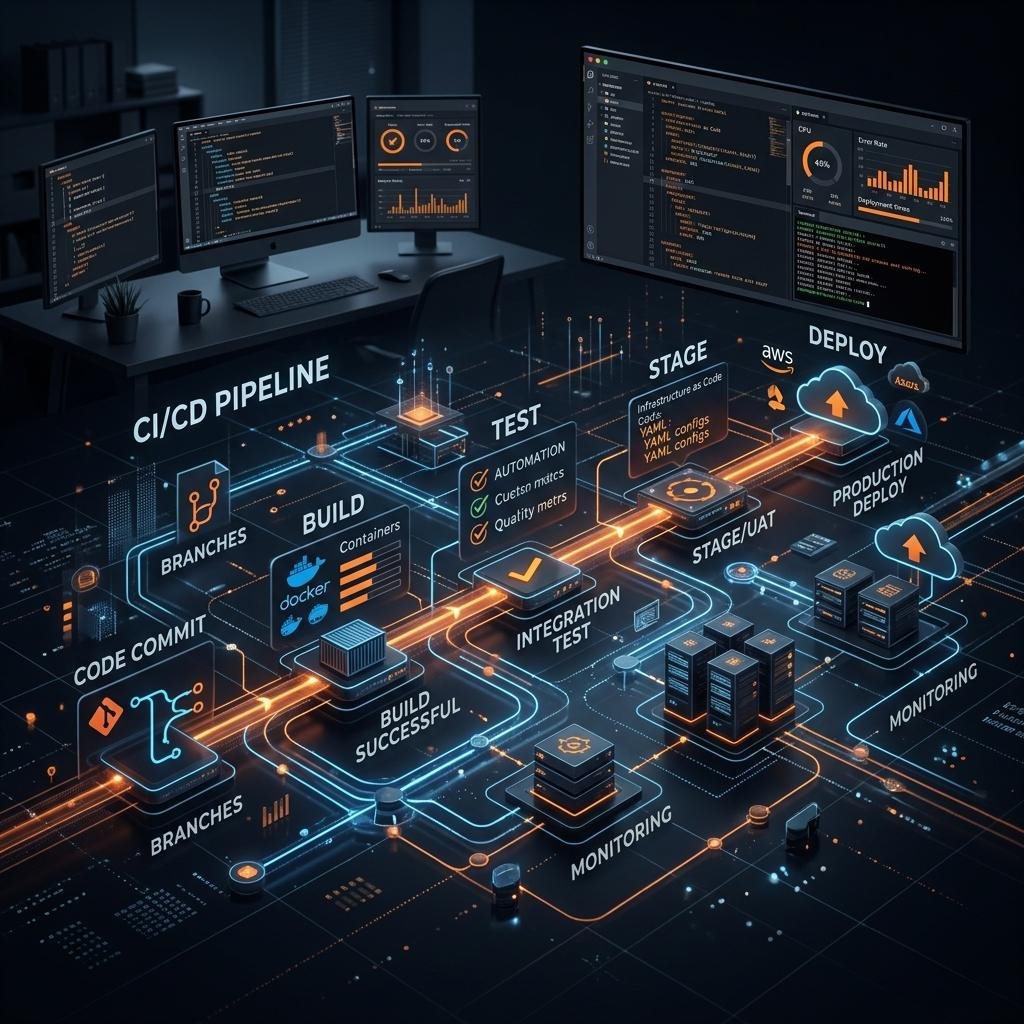
5. Integrate AI into CI/CD Carefully
Continuous integration and continuous delivery pipelines can help enforce consistent quality checks.
A typical workflow may include:
-
A developer creates an AI-assisted code change.
-
The change is reviewed in version control.
-
Automated tests execute.
-
Static analysis and dependency checks run.
-
Security-sensitive findings are investigated.
-
Required reviewers approve the change.
-
The application is deployed through the established release process.
-
Monitoring checks the behavior of the deployed application.
AI-generated code should pass the same engineering quality gates as code written manually.
AI may assist with reviewing test failures or proposing fixes, but it should not be allowed to bypass required checks simply to make a pipeline pass.
6. Protect Source Code and Development Environments
Organizations should determine what information can be shared with AI services and what must remain within controlled environments.
Useful safeguards include:
-
Secret scanning and secure credential management.
-
Repository and branch permissions.
-
Data classification and access controls.
-
Approved AI service configurations.
-
Dependency and license monitoring.
-
Restricted execution environments for automated agents.
-
Appropriate logging and audit trails.
Teams should also review whether generated code introduces unapproved packages, external calls, or dependencies that could create future maintenance or security problems.
7. Measure Outcomes, Not Just Code Volume
Lines of code generated, prompts submitted, or suggestions accepted are weak indicators of business value when considered alone.
Instead, measure whether AI improves the complete development process.
Useful metrics include:
-
Lead time from code change to production.
-
Time required to complete representative tasks.
-
Change failure rate.
-
Defect and rework rates.
-
Test coverage and test effectiveness.
-
Time spent reviewing generated code.
-
Developer satisfaction and cognitive workload.
-
Total cost per successfully delivered feature.
Use a baseline and compare similar tasks or teams where possible. A tool may improve individual coding speed while having little effect on end-to-end delivery if testing, review, or deployment remains a bottleneck.
Research from Google's DORA program emphasizes that AI tends to amplify existing organizational strengths and weaknesses, making the quality of the overall engineering system important to successful adoption. See the 2025 State of AI-Assisted Software Development report.
8. Train Developers to Use AI Effectively
Developers need more than prompt-writing skills.
Training should cover requirement clarification, output verification, secure coding, testing, code review, data privacy, and recognizing when AI assistance is inappropriate.
Teams should share examples of successful workflows and common failure patterns so that learning benefits the whole organization.
9. Review and Improve the Process Continuously
AI tools, model capabilities, development practices, and security threats evolve.
Review tool configurations, approved use cases, performance metrics, and incidents periodically. Update policies and tests when the technology stack or operating context changes.
This makes AI adoption an ongoing engineering improvement process rather than a one-time software purchase.
A Practical Example: Building a Business Application with AI Assistance
Consider a company developing a customer appointment-booking application.
The application needs user registration, appointment scheduling, notifications, an administrative dashboard, and reporting.
AI can assist the team at different stages:
| Development activity | AI-assisted task | Required validation |
|---|---|---|
| Requirements | Draft user stories and acceptance criteria | Product owner confirms business rules |
| UI development | Generate initial form and dashboard components | Developer checks accessibility and usability |
| Backend development | Draft API handlers and validation logic | Review authorization, input validation, and error handling |
| Database development | Suggest schema changes and queries | Check constraints, indexes, and query correctness |
| Testing | Generate test cases for scheduling rules | Verify expected results and edge cases |
| Documentation | Draft API documentation | Confirm accuracy against implementation |
| Deployment | Summarize deployment checks | Follow approved release and rollback procedures |
For example, the team might ask an AI assistant to draft validation logic that prevents users from booking appointments in the past.
The developer should then verify the application's timezone handling, concurrency behavior, appointment availability checks, and database constraints. Otherwise, two users might still reserve the same time slot simultaneously.
The key lesson is that AI can accelerate individual tasks, but reliable software depends on the entire system working correctly.
How to Measure the ROI of AI-Powered Software Development
Businesses should evaluate the return on investment of AI development tools using both direct costs and operational outcomes.
A simplified calculation is:
Net benefit = Value of measurable time saved + Other verified benefits − Total adoption costs
Total adoption costs may include subscriptions, API usage, training, implementation, security controls, code review, and additional rework.
For example, suppose a team saves 40 hours of developer time in a month through AI-assisted work. Those hours should not automatically be treated as cash savings. Their business value depends on whether the team uses the time productively, reduces delivery delays, increases capacity, or avoids other costs.
A pilot program should compare representative tasks before and after adoption, while monitoring quality and security. This helps the business determine whether the tools create meaningful value rather than merely producing more code.
The Future of AI-Powered Software Development
AI-assisted development is progressing beyond simple code completion toward systems that can coordinate multiple steps, interact with development tools, and help execute larger tasks.
Potential applications include automated test generation, repository analysis, migration assistance, issue triage, and agent-supported development workflows.
These capabilities may change how teams organize engineering work, but they do not remove the need for requirements analysis, architecture, verification, security, and operational accountability.
Organizations that establish reliable engineering foundations will be better positioned to benefit from new capabilities. Those with poor documentation, unclear ownership, weak testing, or inconsistent release processes may find that AI makes existing problems harder to manage.
The long-term opportunity is not simply faster code production. It is improving the complete process of delivering software that solves real problems and remains dependable after release.
Conclusion
AI-powered software development offers practical opportunities to improve productivity, accelerate prototyping, support testing, simplify documentation, and help developers understand complex codebases.
However, these benefits must be balanced against risks involving incorrect code, data privacy, security, intellectual property, inconsistent quality, and uncertain return on investment.
Businesses should begin with clearly defined use cases, select suitable tools, protect sensitive information, maintain human review, integrate AI into established quality checks, and measure the impact on end-to-end delivery.
The most effective AI-powered development strategy combines AI's speed and assistance with human judgment, sound architecture, automated verification, and disciplined software engineering.
If your business is planning a new application or looking to modernize an existing software product, India Technology Solutions can help you explore software development approaches aligned with your project requirements.
Ready to discuss your next software project? Visit India Technology Solutions to explore our services and contact our team.
Frequently Asked Questions
1. What is AI-powered software development?
AI-powered software development uses artificial intelligence to assist with activities such as requirements analysis, code generation, testing, documentation, code review, and maintenance.
2. Can AI replace software developers?
AI can automate or accelerate certain tasks, but software development still requires people to understand business requirements, make architectural decisions, validate results, protect systems, and take responsibility for the delivered product.
3. What are the main benefits of AI in software development?
Key benefits include assistance with repetitive coding, faster prototyping, test generation, documentation, and understanding unfamiliar code. Actual improvements depend on the task, tools, team practices, and quality controls.
4. What are the risks of AI-generated code?
AI-generated code may contain defects, security vulnerabilities, incorrect assumptions, unsuitable dependencies, or licensing concerns. Developers should review the code and apply appropriate testing and security checks before deployment.
5. Is AI-generated code safe for production applications?
It can be used in production applications when it passes the same review, testing, security, and quality requirements as other code. AI-generated output should not be trusted automatically.
6. How can small businesses start using AI in software development?
Small businesses can begin with a limited pilot, such as AI-assisted documentation, unit-test drafting, or code explanation. They should select approved tools, protect confidential information, review generated output, and measure the results before expanding adoption.
7. How can businesses measure the success of AI coding tools?
Measure end-to-end delivery time, defect rates, rework, review effort, release reliability, developer experience, and total adoption costs. Code generation volume alone does not demonstrate business value.
8. What is the difference between AI-assisted coding and AI agent-based development?
AI-assisted coding generally means a developer uses AI to suggest or generate code while remaining directly involved. AI agent-based development involves a system performing multiple connected steps, such as inspecting files, modifying code, or running tests, within the permissions it has been granted. Agent-based workflows typically require additional controls because they can take actions rather than merely suggest text.